달력

5

« 2026/5 »

  • 1
  • 2
  • 3
  • 4
  • 5
  • 6
  • 7
  • 8
  • 9
  • 10
  • 11
  • 12
  • 13
  • 14
  • 15
  • 16
  • 17
  • 18
  • 19
  • 20
  • 21
  • 22
  • 23
  • 24
  • 25
  • 26
  • 27
  • 28
  • 29
  • 30
  • 31
2021. 8. 9. 16:48

Custom HLSL tips UE4/Tips&Ugh2021. 8. 9. 16:48

Note++  HLSL User defined language :

...\AppData\Roaming\Notepad++\userDefineLangs

HLSL.xml
0.01MB


ush(hlsl) 파일 위치 : Epic Games\UE_4.26\Engine\Shaders 

ex) Epic Games\UE_4.26\Engine\Shaders\test.ush


material의 custom shader 에서 호출 (shaders 폴더 경로 없이)

#include "/Engine/test.ush"
return 0;


Custom HLSL tips - Development Discussion / Rendering - Unreal Engine Forums


Custom HLSL tips

I’m not that experienced with shader development but needed to get an external shader working in UE4, without using a custom build of the engine. After banging my head against the wall for a few days, I got it all working. I’m posting a few things that

forums.unrealengine.com

Extending Custom HLSL / Custom Expressions - Development Discussion / Rendering - Unreal Engine Forums


Extending Custom HLSL / Custom Expressions

Until we see some more love for fast, custom HLSL in Unreal, here is a discussion of my recently discovered tricks to go beyond the current limits. #1 - Custom Functions Modifying the Engine’s USF files to define custom functions triggers an overhaul sha

forums.unrealengine.com


:
Posted by fx0275

-book :  후디니로 구현하는 알고리즘 디자인 (호리카와 준이치로) 번역서.

Junichiro Horikawa - YouTube 


원서 : Amazon.co.jp: 堀川淳一郎: Books, Biography, Blog, Audiobooks, Kindle


1.Mandelbulb algorithm (fractal)

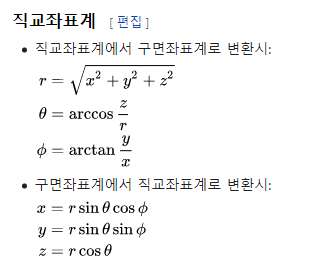
 Mandelbulb (wiki)는 2009년에 구면 좌표를 사용하여 Daniel White와 Paul Nylander가 구성한 3차원 프랙탈입니다.

 # Maldelbrot set (wiki)  

기반지식:

 복소평면(가우스평면),

 복소평면상에서 만델브로 집합(2차원) > 프렉탈 도형

 만델벌브 알고리즘(3차원) >복소평면 사용불가 


[1.37] 극좌표계란 무엇인가? (기초) : 네이버 블로그 (naver.com)

 극좌표계 > xy좌표계 대신 점 P를 (r, Θ) (원점에서의 거리(변위),각도)로 표현.

   (-r, Θ) = (r, Θ+π) = (-r, Θ+(2n+1)π).       (r, Θ) = (r, Θ+2nπ).

[1.41] 극좌표계 그래프 그리기 : 네이버 블로그 (naver.com)


 구면좌표계는 (r,Θ,θ)로 나타낸다.(wiki)

volume > volume wrangle > convert vdb(convert to sdf) > vdb smooth > convert vdb(convert to polygon)


2. Chladni Pattern

편평한 판위에 가루를 뿌리고 진동을 주면 일정하게 생기는 무늬모양.

주파수가 높을수록 더 정교한 패턴이 생긴다.

'Houdini > H_Practice' 카테고리의 다른 글

TWA study  (0) 2021.04.07
Joy of Vex  (0) 2021.03.09
note  (0) 2017.05.08
Pyro FX  (0) 2017.03.22
:
Posted by fx0275
2021. 8. 1. 02:37

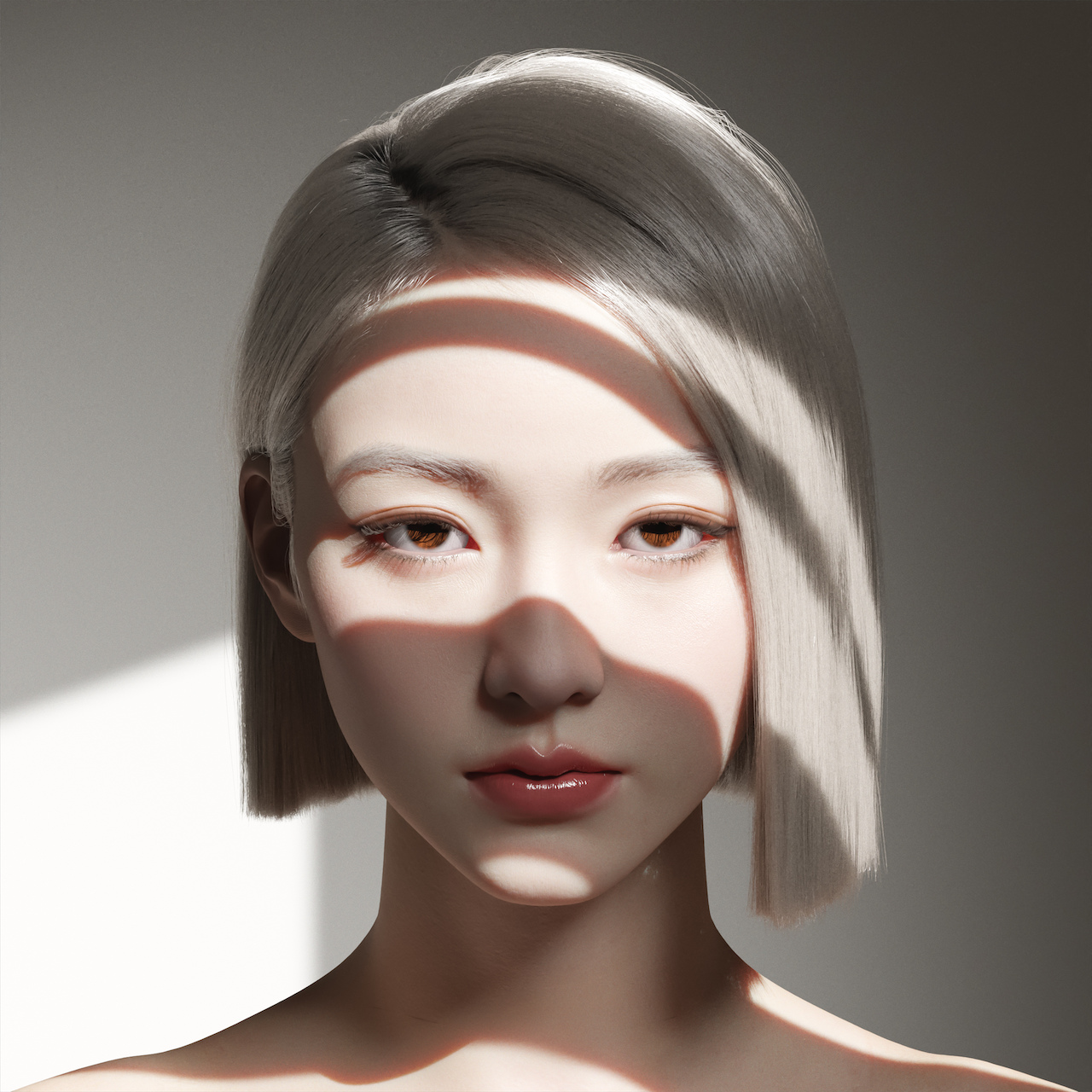
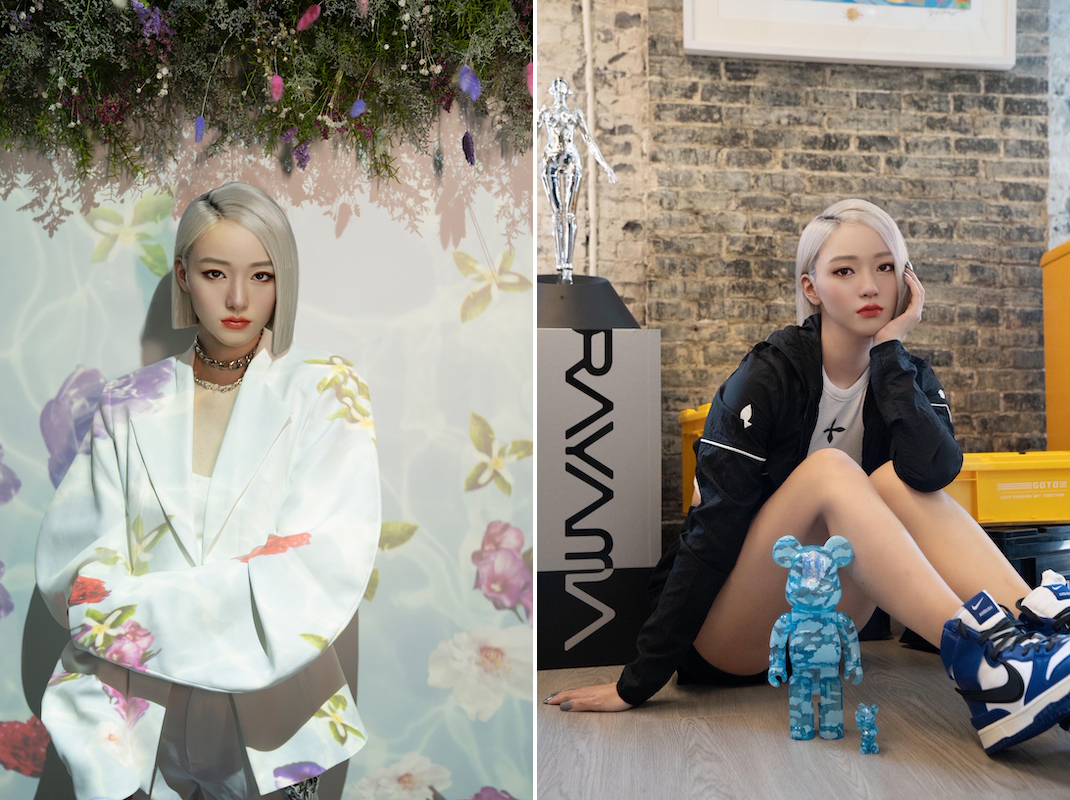
VR Model AYAYI FX.CG2021. 8. 1. 02:37

株式会社Aww、中国Ranmai Technologyとのパートナーシップを締結。バーチャルヒューマン「AYAYI」を開発|株式会社 Awwのプレスリリース (prtimes.jp)


株式会社Aww、中国Ranmai Technologyとのパートナーシップを締結。バーチャルヒューマン「AYAYI」を

株式会社 Awwのプレスリリース(2021年7月19日 09時07分)株式会社Aww、中国Ranmai Technologyとのパートナーシップを締結。バーチャルヒューマン[AYAYI]を開発

prtimes.jp

Aww Inc. A Virtual Human Company


Aww Inc. A Virtual Human Company

Aww Inc.’s Official Website. Aww Inc. is Japan’s 1st Virtual Human Company & Creative Studios that produces the most popular Virtual Influencer/Virtual Model in Asia named “imma”

aww.tokyo

:
Posted by fx0275
2021. 6. 8. 14:36

Unreal Engine 5 Lumen simple test UE4/Practice2021. 6. 8. 14:36

post process volume : lumen setup

Light: indirect value control


https://youtu.be/mdX0nUpozXg


'UE4 > Practice' 카테고리의 다른 글

Math for Artists _ Live from HQ _ Inside Unreal - 2019  (0) 2021.08.18
Mandelbrot set shader Test(UE4 material)  (0) 2021.08.09
Distribution  (0) 2018.05.04
Gradient map  (0) 2017.05.20
Flow Map & Motion Vector  (0) 2017.05.19
:
Posted by fx0275
2021. 5. 22. 15:36

Custom Primitive Data (Material) UE4/Tips&Ugh2021. 5. 22. 15:36


https://docs.unrealengine.com/en-US/RenderingAndGraphics/Materials/CustomPrimitiveData/index.html


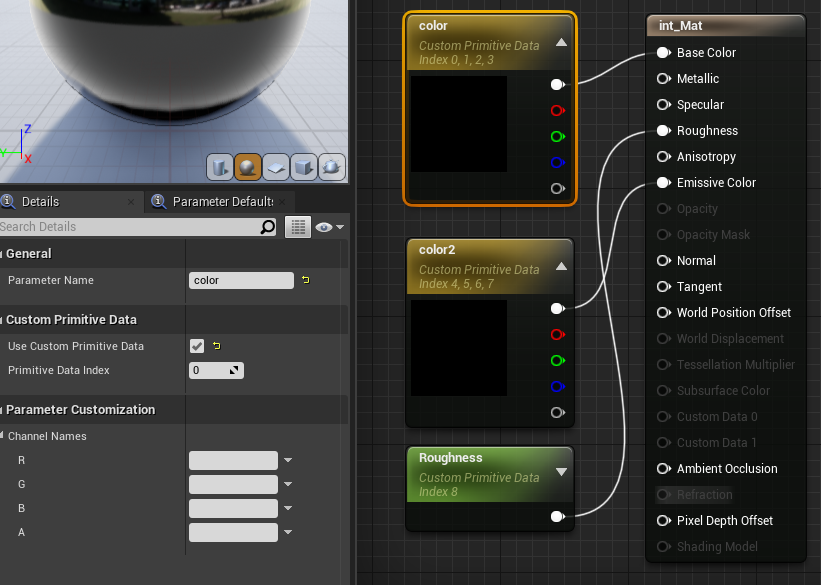
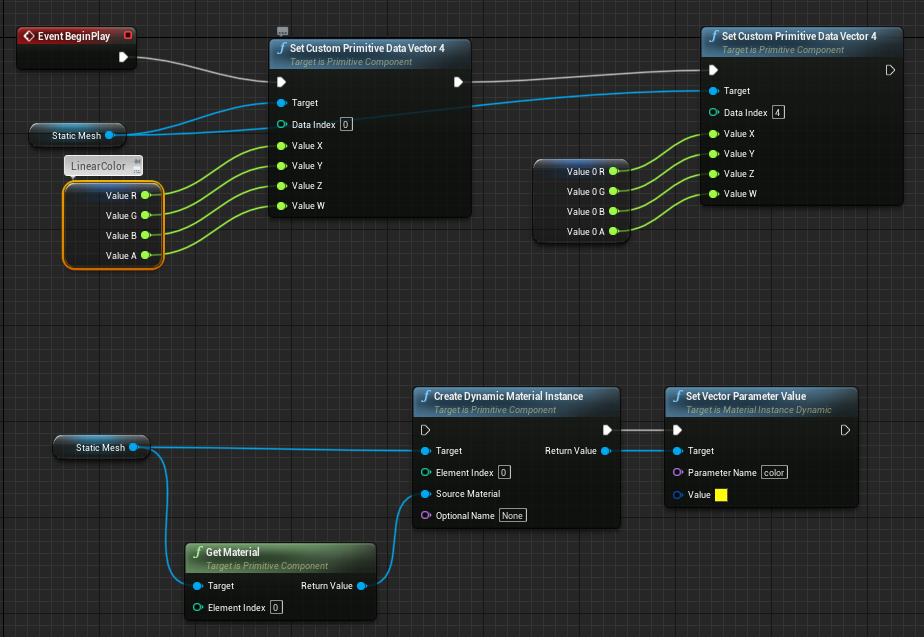
material에서 custom primitive index 지정으로 drawcall을 줄일수 있다.

1개의 값 -> 1 index 사용.


BP


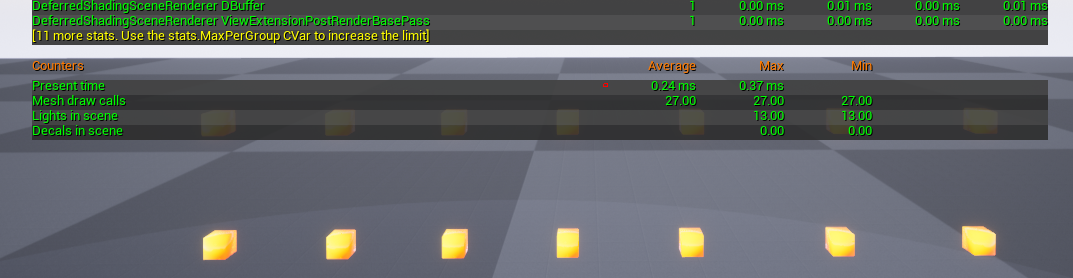
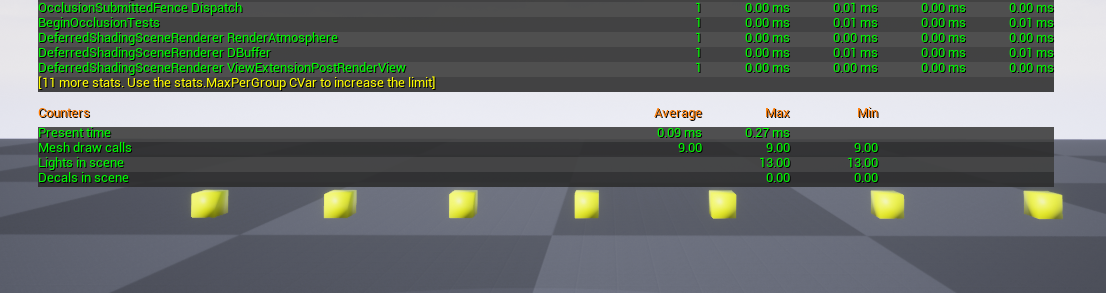
stat scenerendering 명령으로 mseh draw calls 확인.


dynamic material instance 사용


custom primitive data 사용


'UE4 > Tips&Ugh' 카테고리의 다른 글

unreal engine pipeline schematics view  (0) 2021.08.24
Custom HLSL tips  (0) 2021.08.09
UE4 Shader code : GLSL to HLSL  (0) 2021.05.09
UE4 - Particle emitter sorting problem  (0) 2017.09.20
Black Body Node  (0) 2017.03.29
:
Posted by fx0275


space navigator에 포토샵 캔버스 회전 기능을 지원하지 않는다 :(


\Users\계정이름\AppData\Roaming\3Dconnexion\3DxWare\Cfg

폴더에서 photoshop.xml 편집.


포토샵의 canvas rotate는 rotate view tool (단축키 'R' hold) 기능으로 부드럽게 회전 시킬수 있다.


그리고 Alt+F13, Alt+F14 단축키로도 5도씩 회전 가능.


그렇지만 일반 키보드엔 F13,F14키가 없다.


그래서 매크로 기능이 있는 입력장치에서 사용 가능.


space navigator에서는 키 68,69 번이 F13, F14를 가르킴.


xml를 에디트해서 적용할때는 Stop 3Dxware / Start 3Dxware 재실행하면 된다.


예) 마우스 Z축 회전을 좌우로 나누어  적용.

        <Axis>
          <Enabled>true</Enabled>
          <Input>
            <ActionID>HIDMultiAxis_Rz</ActionID>
            <Min>0</Min>
            <Max>511</Max>
          </Input>
          <Output>
            <ActionID>KB_Keystroke</ActionID>
            <Scale>1.00</Scale>
            <MaxEventRate>40.00</MaxEventRate>
            <Modifiers>
              <Modifier>Alt</Modifier>
            </Modifiers>
            <KeyStroke>
              <Key>68</Key>
            </KeyStroke>
          </Output>
        </Axis>
        <Axis>
          <Enabled>true</Enabled>
          <Input>
            <ActionID>HIDMultiAxis_Rz</ActionID>
            <Min>-512</Min>
            <Max>0</Max>
          </Input>
          <Output>
            <ActionID>KB_Keystroke</ActionID>
            <Scale>1.00</Scale>
            <MaxEventRate>40.00</MaxEventRate>
            <Modifiers>
              <Modifier>Alt</Modifier>
            </Modifiers>
            <KeyStroke>
              <Key>69</Key>
            </KeyStroke>
          </Output>
        </Axis>

'Tools' 카테고리의 다른 글

3dsmax 2023.1~2023.2 update  (0) 2022.12.22
aws thinkbox wares free(krakatoa,frost,stroke,xmesh,deadline)  (0) 2022.11.20
3DConnextion 3D mouse >> support Unreal Editor<<  (0) 2021.05.12
Effect Texture Maker(Web)  (0) 2021.05.11
Google Earth Studio  (0) 2019.01.08
:
Posted by fx0275
2021. 5. 12. 13:53

3DConnextion 3D mouse >> support Unreal Editor<< Tools2021. 5. 12. 13:53


3dconnexion.com/us/drivers-application/3dxware-10/


Version 10.7.2 (r3314; March 17, 2021). Third public release of v. 10.7.

• Updated: 3DxUnreal v. 1.0.1 (r24; Mar 15, 2021).

• New: [WIN-812] Add support for "Landscape", "Foliage" and "Mesh Paint" editor mode commands in Epic Games Unreal Editor.

• New: [WIN-815] Add configuration file for Epic Games Unreal Editor. Changes default navigation mode to "Helicopter".


Version 10.7.1 (r3280; December 9, 2020). Second public release of v. 10.7

• New: Support Epic Games' Unreal Editor for engine versions 4.23, 4.24, 4.25 and 4.26.

• New: 3DxUnreal v. 1.0.0 (r16; Nov 19, 2020). See [WIN-718] and [WIN-742].


:
Posted by fx0275
2021. 5. 11. 16:17

Effect Texture Maker(Web) Tools2021. 5. 11. 16:17

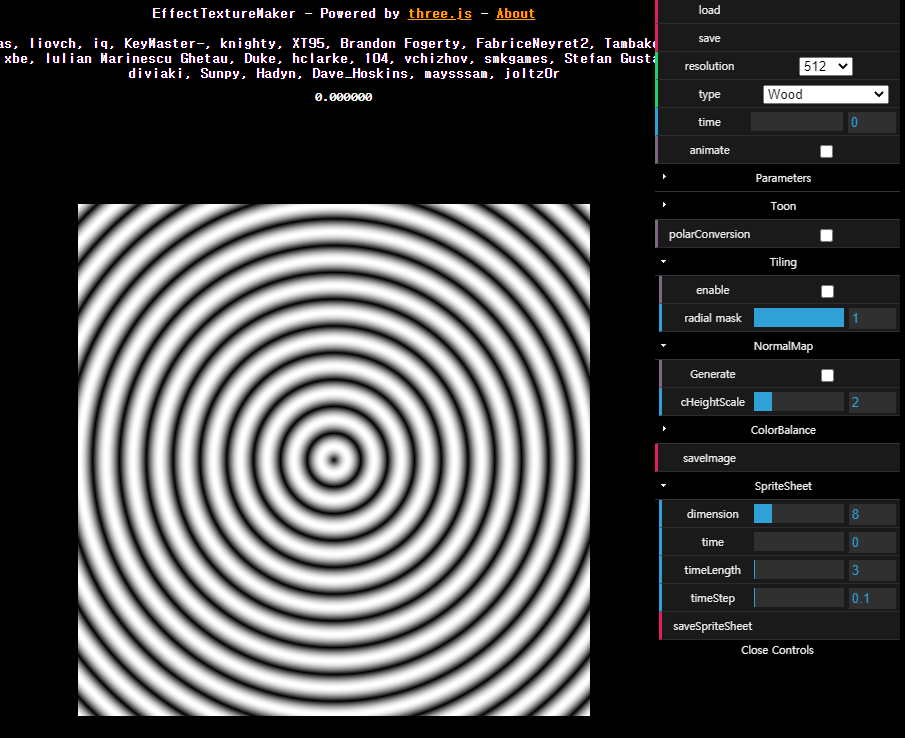
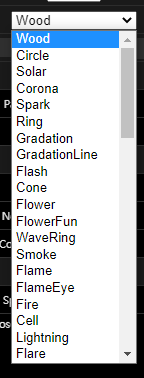
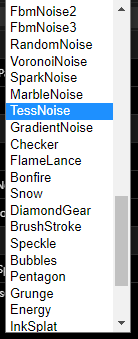
mebiusbox.github.io/contents/EffectTextureMaker/


:
Posted by fx0275


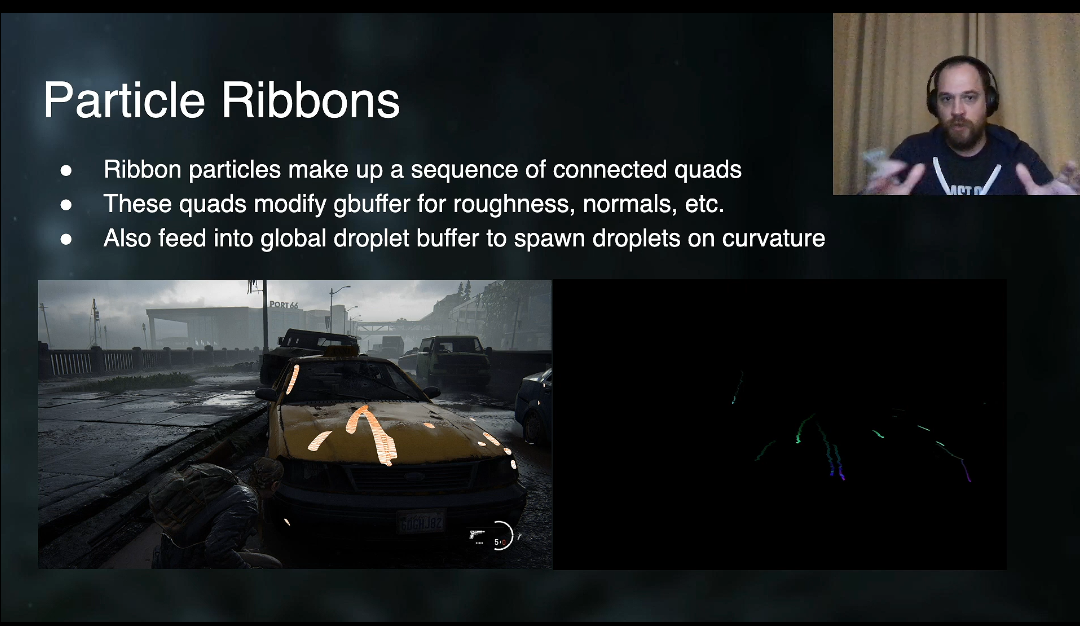
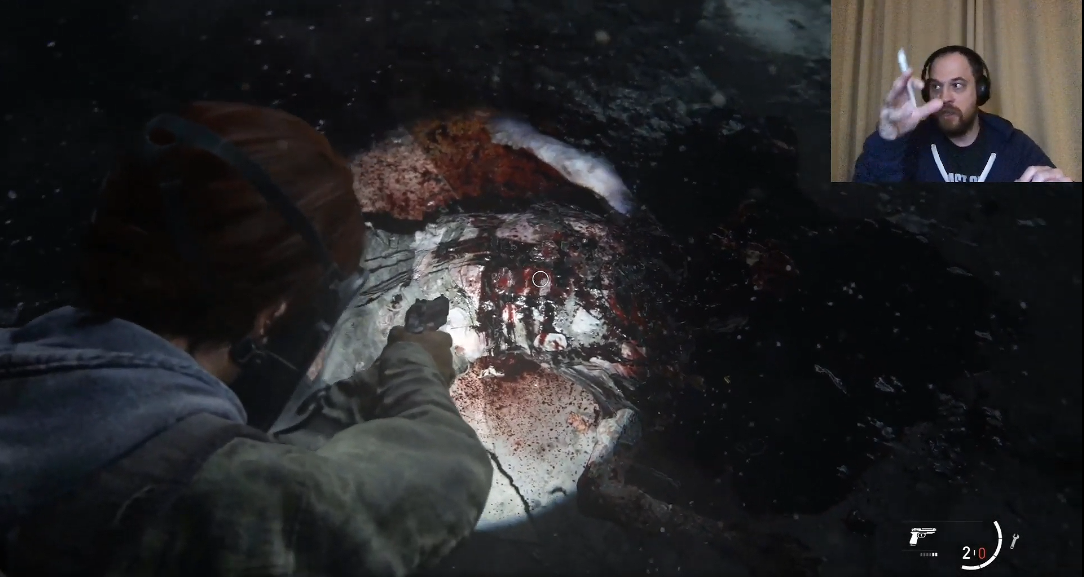
flowing raindrops


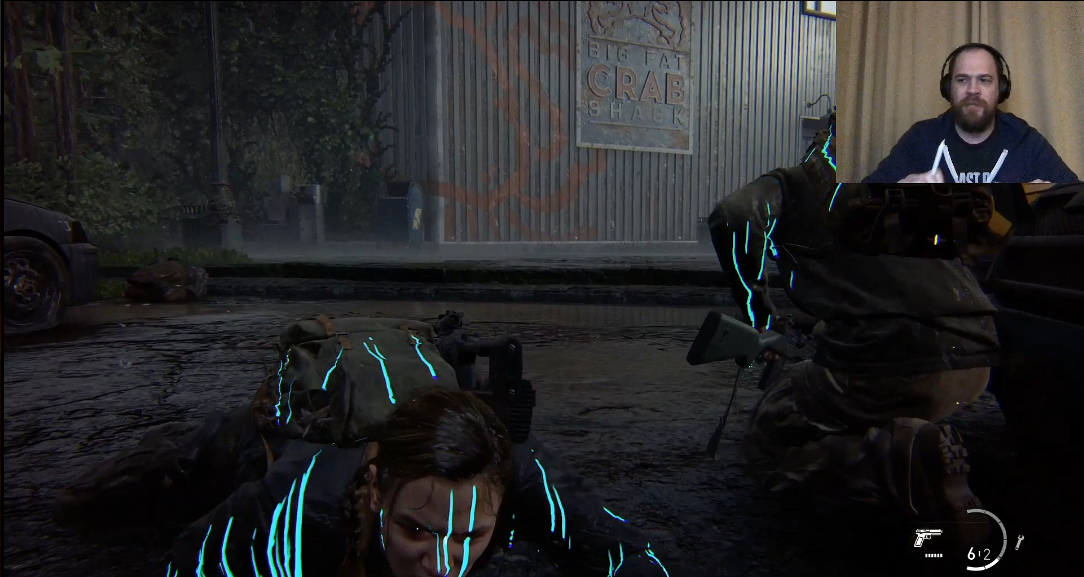
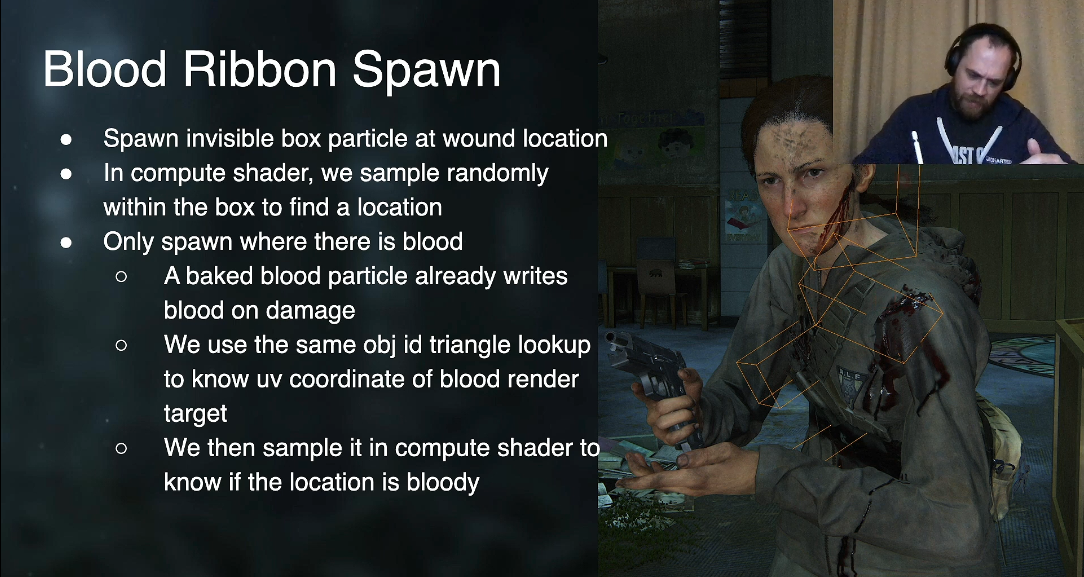
flowing blood


GPU Driven Effects of The Last of Us Part II by Artem Kovalovs   SIGGRAPH 2020

www.youtube.com/watch?v=_bbPeCwNxAU


The Technical Art of The Last of Us Part II by Waylon Brinck and Steven Tang   SIGGRAPH 2020

www.youtube.com/watch?v=tvBIqPHaExQ


Volumetric Fog of The Last of Us Part II by Artem Kovalovs   SIGGRAPH 2020

www.youtube.com/watch?v=lo5VN2nOL98


Low-Level Optimizations in The Last of Us Part II by Parikshit Saraswat   SIGGRAPH 2020

www.youtube.com/watch?v=CvS6rX-67wA

:
Posted by fx0275
2021. 5. 9. 09:12

UE4 Shader code : GLSL to HLSL UE4/Tips&Ugh2021. 5. 9. 09:12

ex)

vec3 r = (1.4 + 2.0*Smoothness) * Radii - Smoothness;   

-> float3 r = (1.4 + 2.0*Smoothness) * Radii - Smoothness;


GLSL/HLSL/Metal 命令対応表

  • HLSL = DirectX (D3D8/D3D9/D3D10/D3D11/D3D12)
  • GLSL = OpenGL 2/3/4, OpenGL ES 2/3, Vulkan, SpliteKit (watchOS)
  • Metal = Metal (iOS/tvOS/macOS)

GLSLHLSLMetal

float float float
float1 HLSLのみ single vector 可能
vec2/vec3/vec4 float2/float3/float4 float2/float3/float4
mat3 float3x3 float3x3
mat4 float4x4 float4x4
mat3x4 float3x4 float3x4
int int int
ivec2/ivec3/ivec4 int2/int3/int4 int2/int3/int4
uint uint uint (unsigned int)
uvec2/uvec3/uvec4 uint2/uint3/uint4 uint2/uint3/uint4
bool bool bool
bvec2/bvec3/bvec4 bool2/bool3/bool4 bool2/bool3/bool4
lowp float min10float 10bit fixed 以上
mediump float half (min16float) half 16bit fp 以上
highp float float float 32bit fp
double double 64bit fp
highp int / uint int / uint int / uint 32bit int
mediump int / uint min16int / min16uint short / ushort 16bit int 以上
lowp int / uint min12int 9bit int 以上
char / uchar 8bit int
vec3 x= vec3( a, b, c ); float3 x= { a, b, c }; float3 x= { a, b, c };
float3 x= float3( a, b, c ); float3 x= float3( a, b, c );
float x[3]= float[]( a, b, c ); float x[3]= { a, b, c }; float x[3]= { a, b, c };
type( x ) (type)x (type)x, type(x) cast
matrix * matrix mul( matrix, matrix ) matrix * matrix
vector * matrix mul( vector, matrix ) vecotr * matrix
uniform (uniform) constant
in/out , varying/attribute var : semantics var [[qualifier]] HLSL は in/out に function の引数と戻り値を使う。
builtin gl_* variables system semantics SV_* var [[qualifier]]

GLSLHLSLMetal

inversesqrt( x ) rsqrt( x ) rsqrt( x ) 1/sqrt( x )
mix( x, y, s ) lerp( x, y, s ) mix( x, y, s )
clamp( x, min, max ) clamp( x, min, max ) clamp( x, min, max )
clamp( x, 0.0, 1.0 ) saturate( x ) saturate( x )
step( edge, x ) step( edge, x ) step( edge, x ) x < edge ? 0.0 : 1.0
smoothstep( min, max, x ) smoothstep( min, max, x ) smoothstep( min, max, x ) clamp( (x-min) / (max-min), 0.0, 1.0 )

GLSLHLSLMetal

sampler2D samplerobj Texture2D<type> texobj texture2d<type> texobj sampler type
sampler2DShadow depthobj Texture2D<type> depthobj depth2d<type> depthobj sampler type
v= texture( samplerobj, texcoord.. ); v= texobj.Sample( texcoord.. ); v= texobj.sample( sampler, texcoord .. ) sampling
v= texture2D( sampleobj, texcoord.. ); v= tex2D( sampler, texcoord.. ); legacy syntax
v= textureGather( depthobj, texcoord.. ); v= depthobj.SampleCmp( texcoord.. ); v= depthobj.sample_compare( … ) pcf shadow map

shaderGLSLHLSLMetal

vsh in int gl_VertexID; uint var_name : SV_VertexID ; uint var_name [[vertex_id]];
in int gl_InstanceID; uint var_name : SV_InstanceID ; uint var_name [[instance_id]];
out vec4 gl_Position; float4 … : SV_Position ; float4 ... [[position]];
fsh/psh out vec4 color; (GL2: gl_FragColor) float4 … : SV_Target ; (DX9: COLOR) half4 ... [[color(0)]];
out float gl_FragDepth; float … : SV_Depth ; (DX9: DEPTH) float ... [[depth(less)]];


docs.microsoft.com/ko-kr/windows/uwp/gaming/glsl-to-hlsl-reference


HLSL 참조 - UWP applications

OpenGL ES 2.0에서 Direct3D 11로 그래픽 아키텍처를 이식할 유니버설 Windows 플랫폼 (UWP) 게임을 만들려면 그래픽 아키텍처를 Microsoft HLSL (High Level Shader Language) 코드로 이식 합니다.

docs.microsoft.com


dench.flatlib.jp/opengl/glsl_hlsl


opengl:glsl_hlsl [HYPERでんち]

opengl:glsl_hlsl HLSL = DirectX (D3D8/D3D9/D3D10/D3D11/D3D12) GLSL = OpenGL 2/3/4, OpenGL ES 2/3, Vulkan, SpliteKit (watchOS) Metal = Metal (iOS/tvOS/macOS) GLSL HLSL Metal float float float – float1 – HLSLのみ single vector 可能 vec2/vec3/vec4 flo

dench.flatlib.jp


docs.microsoft.com/en-us/windows/uwp/gaming/glsl-to-hlsl-reference


GLSL-to-HLSL reference - UWP applications

You port your OpenGL Shader Language (GLSL) code to Microsoft High Level Shader Language (HLSL) code when you port your graphics architecture from OpenGL ES 2.0 to Direct3D 11 to create a game for Universal Windows Platform (UWP).

docs.microsoft.com


'UE4 > Tips&Ugh' 카테고리의 다른 글

Custom HLSL tips  (0) 2021.08.09
Custom Primitive Data (Material)  (0) 2021.05.22
UE4 - Particle emitter sorting problem  (0) 2017.09.20
Black Body Node  (0) 2017.03.29
issue  (0) 2017.03.10
:
Posted by fx0275